Who signed it? Is it real? Ask AI in seconds.
Take a photo of any autograph. Autograph Identifier names the signer, gives an authenticity assessment and lists the red flags, before you buy, sell or pay for certification.


 On a computer? Point your phone camera at the code to get the app.
Free to download · 1 free scan. See a full result before you pay anything.
What you get from every scan
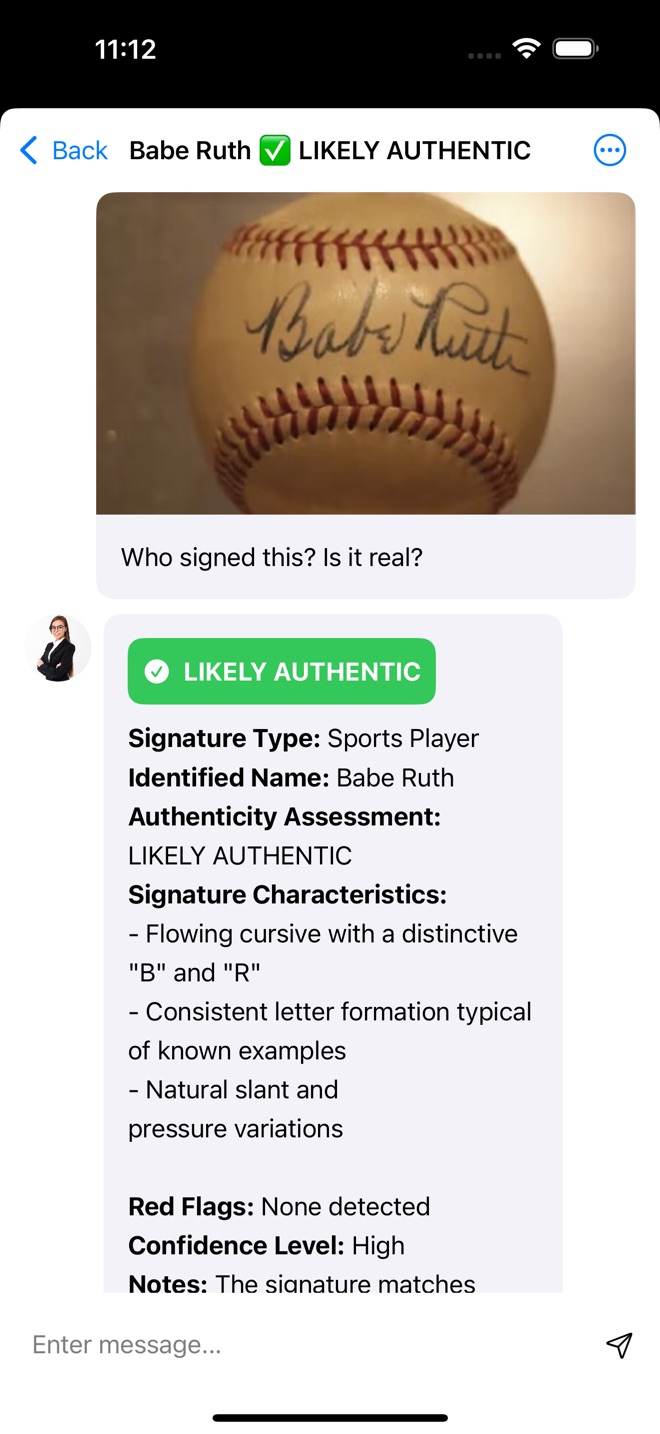
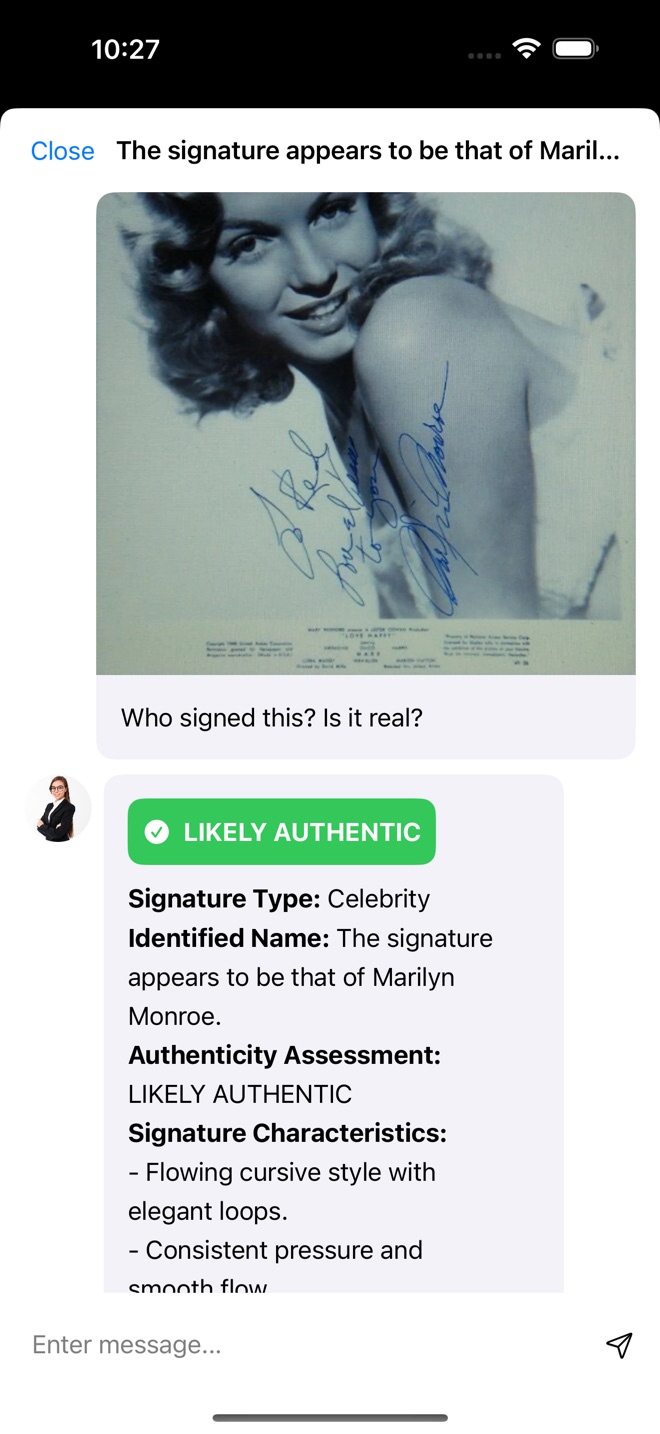
These are real screens from the app, not mock-ups. Each analysis is laid out the same way:
- LIKELY AUTHENTICUNCLEARA plain verdict at the top, so you know at a glance where the item stands.
- Identified name and signature typeWho the signature appears to belong to: athlete, musician, actor, band or historical figure.
- Signature characteristicsLetter formation, slant, flow and pressure, compared with how that person is known to sign.
- Red flagsSigns of a printed, traced or hesitant signature, and anything that does not fit.
- Confidence levelHow sure the AI is, so you can tell a strong match from a guess.
How it works
Three steps from photo to answer.
Photograph the autograph
Use the camera or pick a photo from your library. Get close, keep it sharp and avoid glare.
Ask "Who signed this? Is it real?"
The AI reads the signature and the item it is on, and compares it with how known signers write.
Read the assessment
Name, verdict, characteristics, red flags and confidence. Every scan is saved to your history.
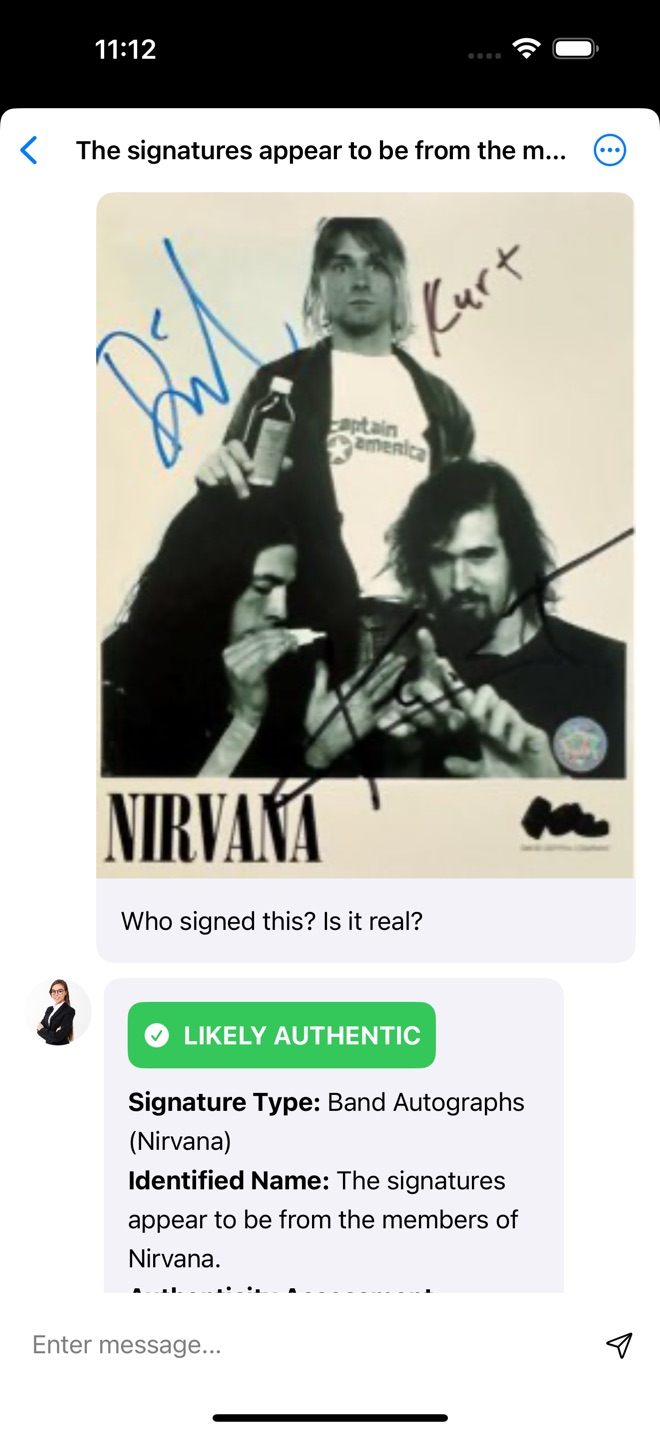
Photos, baseballs, band sets and more
Scan single signatures or items signed by a whole group, and keep everything in one history.
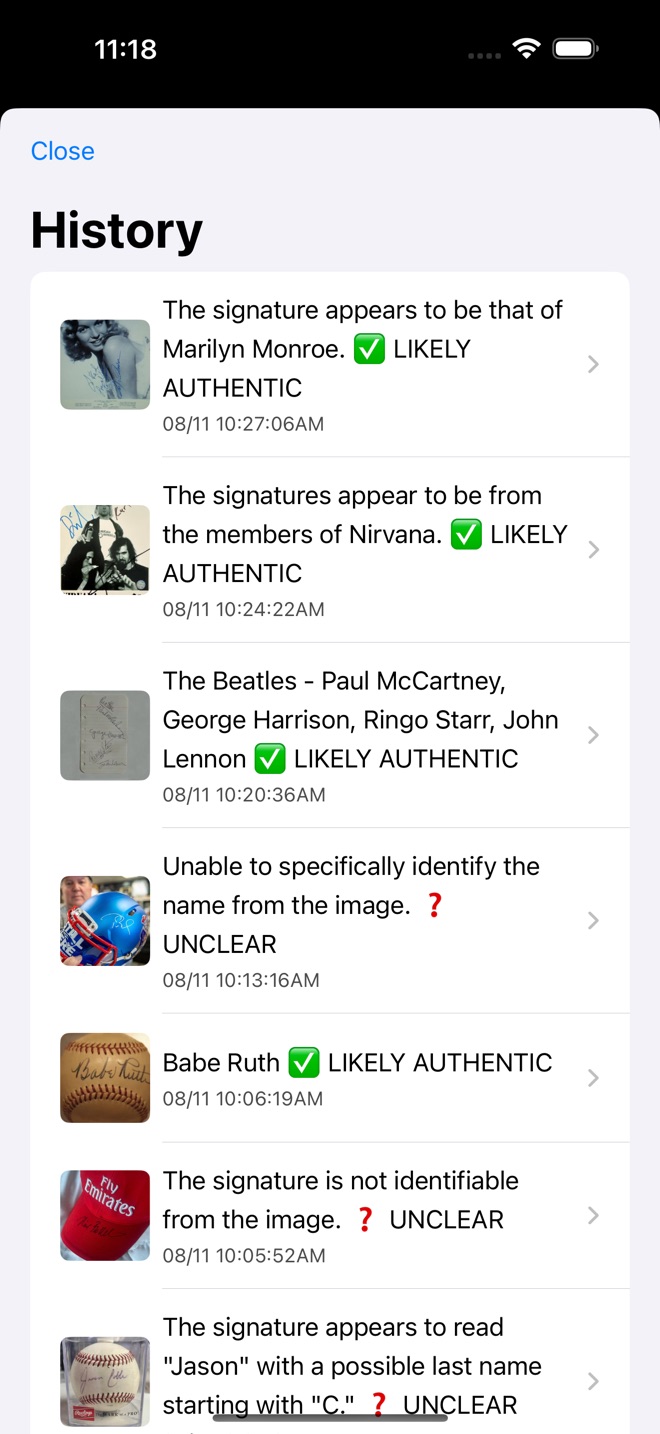
Signature guides
What the genuine signature looks like, the fakes to watch for and how to verify it, for the most collected names.
Michael Jordan autograph
Upper Deck exclusive since 1992 and one of the most forged names in sports.
Read the guide → BaseballBabe Ruth autograph
The classic vintage autograph, and a favourite target of forgers for decades.
Read the guide → BaseballMickey Mantle autograph
Two very different signatures: the 1950s rookie hand and the famous card-show autograph.
Read the guide → BoxingMuhammad Ali autograph
From "Cassius Clay" to the later, smaller signature, and how the eras differ.
Read the guide → BasketballKobe Bryant autograph
Upper Deck first, Panini from 2009, and a market flooded with fakes after 2020.
Read the guide → MusicThe Beatles autograph
Full sets are rare. Many were signed by road managers, not by the band.
Read the guide → MusicElvis Presley autograph
Secretarial signatures and printed photos account for many "signed" Elvis items.
Read the guide → Film & AnimationWalt Disney autograph
The famous logo is not his handwriting, and studio artists often signed for him.
Read the guide → Space & HistoryNeil Armstrong autograph
He stopped signing in 1994. Autopen and forgeries are everywhere.
Read the guide → MusicTaylor Swift autograph
Signed CDs and inserts are common, and so are copies of them.
Read the guide →Try it free, upgrade if it helps
You see a complete result before deciding anything.
Free
- 1 free scan
- Signature identification
- Authenticity assessment
- Scan history
Premium
or $9.99 / week
- Unlimited scans
- Confidence scoring and red flag detection
- Detailed authenticity breakdown
- Export and share analysis reports
- Priority processing and support
Prices in USD and may vary by country. Subscriptions renew automatically and can be cancelled any time in your App Store or Google Play settings.
A first opinion, not a certificate. Autograph Identifier is built for quick screening: sorting an inherited collection, checking a listing before you bid, or deciding which items are worth sending to PSA/DNA, JSA or Beckett. It works best on clear photos of well-known signatures and will tell you when a signature is unclear instead of guessing. For expensive items, always get professional authentication.
Learn to authenticate autographs
Short, practical articles for collectors.
How to Spot a Fake Autograph: 9 Checks Before You Buy
A practical checklist you can run through with a phone camera and a magnifying glass.
Read article →PSA vs JSA vs Beckett: Autograph Authentication Explained
What the three main authenticators do, what their paperwork means and when to use them.
Read article →Autopen, Secretarial, Stamped and Preprint Signatures: What They Are
Four kinds of signature that are not forgeries but are not autographs either.
Read article →Frequently asked questions
Is Autograph Identifier free?
The app is free to download and includes 1 free scan so you can see a full result before paying anything. Premium unlocks unlimited scans for $9.99 per week or $49.99 per year.
What does a scan tell me?
Each result gives the name the signature appears to belong to, an overall assessment such as Likely Authentic or Unclear, the signature characteristics the AI noticed, any red flags and a confidence level.
Is the result a certificate of authenticity?
No. It is an AI-generated first opinion that helps you sort items and decide what deserves a closer look. For valuable pieces you should still use a professional authenticator such as PSA/DNA, JSA or Beckett.
What can I scan?
Signed photos, baseballs, jerseys, cards, album covers, books and documents. A sharp, well-lit, close photo of the signature gives the best result. Clear, well-known signatures are identified most reliably; faint or heavily stylised ones may come back as Unclear.
Which devices are supported?
iPhone and iPad running iOS 17.5 or later, and Android phones and tablets through Google Play.
How do I cancel Premium?
Subscriptions are managed by Apple or Google. Cancel any time from your App Store or Google Play subscription settings and you keep access until the end of the paid period.
Got an autograph you are not sure about?
Scan it now. Your first result is free.
On a computer? Point your phone camera at the code to get the app.
iPhone and iPad (iOS 17.5 or later) · Android · Free with optional Premium